
The current macOS release, the real app, and the promo in one place.

This page keeps the macOS side simple: current release info, bigger product proof, and the video walkthrough without making you jump around the site.

Current release Bigger app screenshot Promo video

v1.4.1

FastFlags editor now free — add custom flags with Pro.

Main download SpoofTrap.dmg
Installer SpoofTrap.pkg
Portable SpoofTrap.zip

First time opening? macOS may block the app.

Right-click the app → Open → Click "Open" in the dialog. Or run in Terminal:

xattr -cr /Applications/SpoofTrap.app && open /Applications/SpoofTrap.app
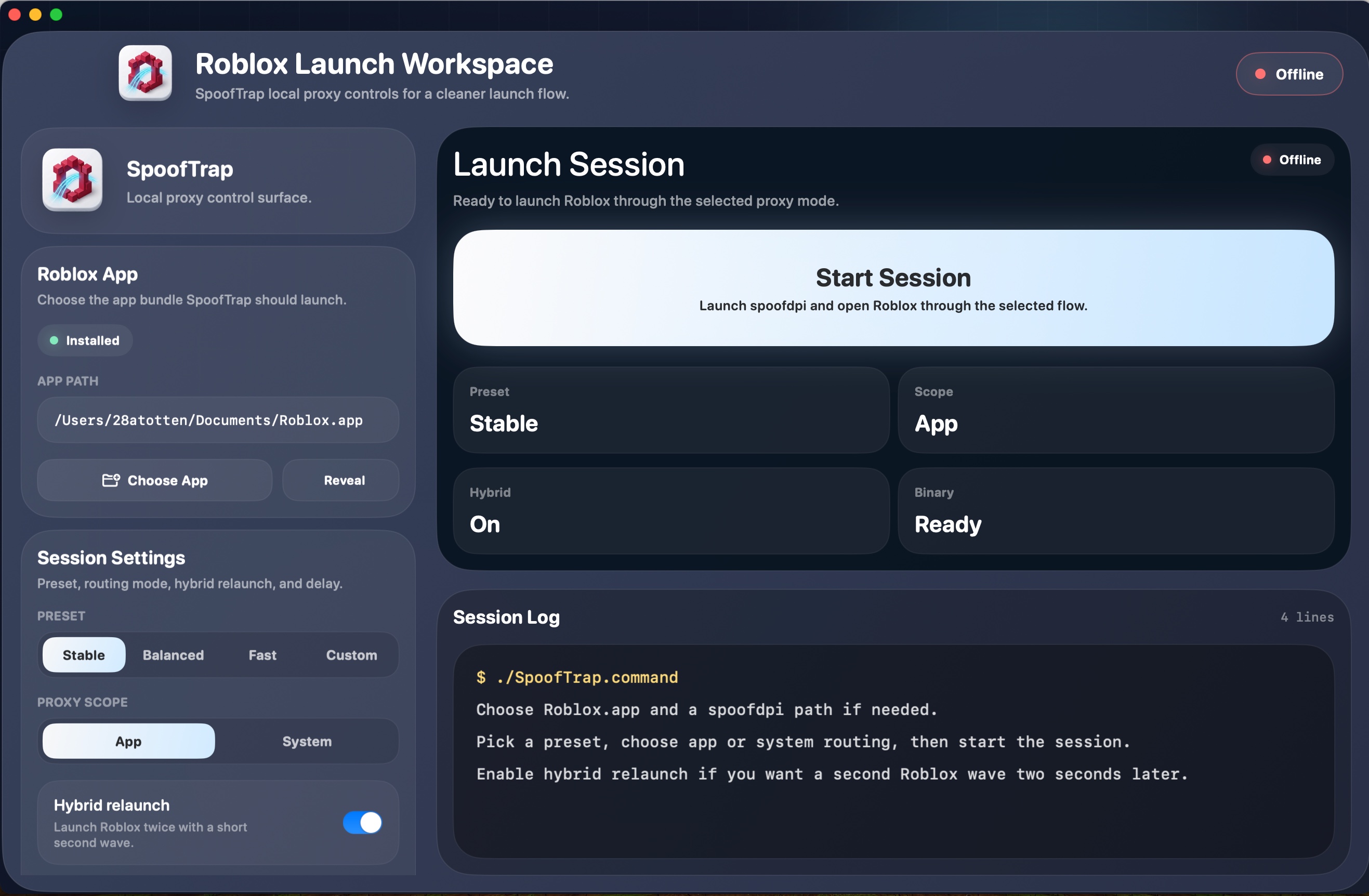
See the real macOS workspace larger.

The full launch workspace, status surface, and session log in one view.

Large SpoofTrap macOS app screenshot showing the Roblox Launch Workspace and session log

Watch the macOS flow.

The quickest walkthrough if you want to see the product before you download it.